Helping companies take control of production, management information systems play a key role for many print businesses. Here, Rob Fletcher takes a look at the latest advancements in MIS and how these developments can further support printers
Rob Fletcher
September 15, 2025
Having some form of digital, computerised management system in place should be seen as a must-have for print service providers (PSPs). Whether you are a high street printer working with just local clients or a multi-site operation with customers across the continent, a management information system (MIS) is the most effective way of overseeing production.
While many companies already have an MIS in place, it is crucial to keep abreast of the latest developments in this sector. Software upgrades and product updates are rolled out regularly by MIS providers, with these readily available to PSPs, offering them access to new tools and features to further enhance business management.
In this feature, Print Monthly speaks with several MIS specialists to learn more about their most popular solutions and how their latest software products can support PSPs with their future growth plans.
Integration Importance
Trevor Cocks, managing director of provider Accura MIS sums up the situation with a simple statement: “No modern-day printing and communication company can operate without an MIS; there are too many moving parts.”
He continues: “In principle, many MIS solutions do the same thing, but few offer an end-to-end solution from web-to-print, CRM, to MIS and live-sync to accounting in one product. The benefits of this level of integration cannot be overstated, it leads to minimal touches per job, and thus higher retained profits.”
For those in the market for a new MIS, Cocks says there are certain attributes to look out for. He says all MIS solutions should be able to raise a quote and job-ticket, but it is processes surrounding this that differentiates one product from another. These include how the initial enquiries are handled, how does data integrate and flow, and how customers are being kept informed?
According to Accura MIS, no modern printing and communication company and operate without an MIS
Cocks also issues a warning to PSPs considering a “standalone” approach with MIS and web-to-print, saying multi-vendor solutions show up a clear weakness. He explains: “Integration is often weak and one-way, it tends to focus on artwork delivery, not the whole job life-cycle, and the printer requires specialised, costly, and protracted integrations services, which most printers do not have in-house, so have to buy in.
“Printers need to not just think about the now, but the future growth of their business when choosing an MIS. Is there room to grow with the system? Is it being actively developed? Is it scalable? How much in-house technical expertise does it need, and what if that person leaves?”
Factoid: The concept of MIS dates back to the 1950s when computers were first introduced into business environments
With this in mind, Cocks addresses the issue of switching from one provider to another. He admits that while moving to a new MIS is quite difficult, the process can be smoothed out with some key steps mapped out by the new MIS provider, and careful management of legacy data.
For example, exporting data to a spreadsheet for lookup purposes is worthwhile as you may lose access to your existing MIS if it is a hosted solution. Cocks also says workers need to be prepared and told why the company is going down this path, how it will help them in their jobs, and avoid duplication of effort.
“Of course, staff will need training on the new system, but then again often they joined the company after the incumbent system was installed and had little training anyway, so are happy to be shown how to use a system properly,” he explains.
A modern MIS should offer end-to-end functionality from estimating and job management to production planning, inventory control, and reporting
“Allow a two- or three-month transition period, during which you’ll be referring back to old spreadsheet data. After this period, you will be doing this less-and-less until not at all. If the benefits of the new system are clear, usually it is received well by employees, particularly if it makes their jobs easier.”
So, what is new from Accura? Cocks highlights Accura360, with which he says development is ongoing. New updates include a completely revamped, browser-friendly user interface, direct API synchronisation with Sage Business Cloud Accounting, scalable SQL Edition for Enterprise level solutions with better ODBC support, as well as a new scheduling tool with the ability ‘to tag’, move one/more, and re-plan jobs in one action.
“As an end-to-end system, Accura360 comprises CRM for sales and marketing, web-to-print, and a full e-commerce and client portal, as well as MIS for production workflow as an all-in-one solution,” Cocks says, adding: “One database, one vendor, and one support team is a unique proposition.”
Areas for Improvement
Another specialist provider in this sector is Imprint. Commercial director, Peter Horwood says for PSPs looking to invest in a new MIS, they should first internally identify areas that require improvement and bottlenecks within the business that need relieving. This could be if workflows are getting slowed up in prepress or delays in job creation processes.
“Once you have that in place, you know where you need to focus your attention when reviewing new systems,” Horwood says, continuing: “Make sure the providers have specific solutions for your area of print, which in this competitive environment can be multiple types.
“A good idea when reviewing an MIS is to ask what they have been focusing on in the recent updates and how the software is developing in the future. Also enquire into the installation process and how an MIS provider will support you after you go live.”
Imprint advises PSPs to identify areas of improvement before looking for a new MIS solution
Horwood goes on to say that one of the most common reasons print companies feel the need to switch to a new provider and system is that their current offering is no longer being developed or properly supported. On the other hand, it may be that the printer’s workflows and outputs have changed, and their system is not flexible enough to accommodate this change.
Either way, he says moving to a new provider does not need to be a total headache. He says: “Mindset and company ethos are one of the keys to success. If the need for change is clearly outlined to staff by leadership and example is led from the top level down, the transition can be positive and proactive.
"Change can be seen as a time to evaluate internal processes and a realisation that ‘this is the way we have always done it’ is not really a good enough reason to continue to do so."
The MIS team has a huge part to play in this process. With over 45 years’ experience of putting in systems, Imprint are aware of the pitfalls of putting in a new system and ways to avoid installs grinding to a halt.
“The key is to set realistic goals and keep up momentum with implementation, training, and regular communication.”
Make sure the providers have specific solutions for your area of print, which in this competitive environmentcan be multiple types
Horwood says that 2025 has been a busy year for the provider in terms of advancements. In April, it hosted the CIP4 interop, working with a number of parties to expand and standardise integration options in the industry. On the back of this Imprint continues to add new features and modules into its online dashboard, which is free to all Imprint licenced customers.
“As well as onboarding new customers we have undertaken new projects with existing customers,” he says, adding: “We are currently working on an interface that can deal with complex mailing jobs and look forward to sharing more information as the project evolves. We are also working solutions into the system to deal with new challenges facing our customers such as EUDR traceability.”
End-to-End Functionality
Also weighing in is Rob Thurston, UK sales manager at printIQ, who says when evaluating an MIS, printers should focus on solutions that enhance efficiency, accuracy, and scalability.
“A modern MIS should offer end-to-end functionality from estimating and job management to production planning, inventory control, and reporting,” he says, continuing: “It’s crucial that the system can support a wide range of print environments, including digital, offset, wide-format, and packaging.
“Cloud-based access, regular software updates, strong security, and open APIs for integration with third-party tools are all essential. Ultimately, a good MIS should automate repetitive tasks, reduce errors, and give printers the insights they need to make informed business decisions.”
On the danger of standing still, Thurston says many PSPs continue to rely on legacy systems that are no longer fit for purpose. He explains these outdated platforms cannot keep up with the complexity and pace of today’s print operations, adding that if your current MIS lacks flexibility, does not support modern workflows, or makes it difficult to access real time information, it’s probably time to consider a change.
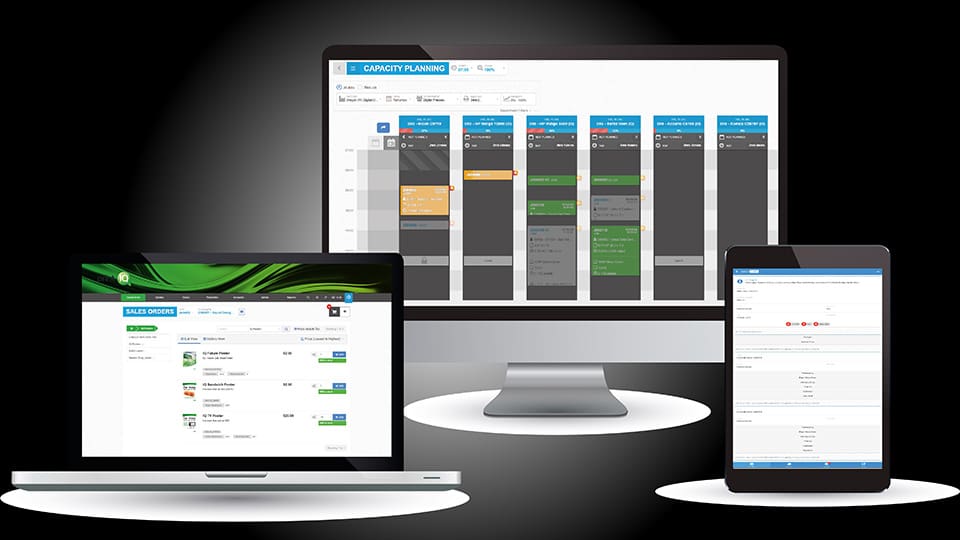
Recent updates at printIQ include expanded functionality for wide-format workflows and improved scheduling tools
“At printIQ, we understand that switching providers can feel like a major undertaking, but it doesn’t have to be painful,” he says, adding: “Our implementation process is structured and collaborative, with dedicated onboarding specialists, comprehensive training, and ongoing support to ensure minimal disruption. Most customers are surprised at how quickly they can be up and running with printIQ and how much of a positive impact it makes almost immediately.”
On this, Thurston says printIQ is constantly innovating to keep its clients ahead of the curve. Recent updates include expanded functionality for wide-format workflows, improved scheduling tools, and enhanced automation in estimating and inventory. Parts of the user interface have also been redesigned for faster navigation, while new business intelligence dashboards provide deeper insights into performance and profitability.
Efficient Business
Finally, Peter Griffin, is managing director of Iteba, the developer behind SolPrint, a modular MIS system that includes a customer-facing shopfront, web-to-print, sales CRM, estimating, order processing, studio, scheduling, SFDC, JDF/JMF integration, stock, costing, invoicing, warehousing, and full accounting suite or links to third-party accounts.
Recent enhancements to SolPrint include an email proof approval process, ensuring clients approve the latest version of work while eliminating the need to email physical files. Clients receive an email with a link to their branded approval portal, allowing them to approve or reject files. Changes are immediately in the MIS and the digital asset management system (DAMS) retains a full history for later review.
“Accurate, real-time information is key to the efficient running of any business,” Griffin says, adding: “As systems grow, the level of data can become excessive meaning important issues are missed or not noticed, while resolutions and actions can still be implemented. SolPrint Events and notifications allow for users to have targeted notifications providing real-time information so resolutions can be implemented to eliminate costs.”
Leading on from this, Griffin maps out some of the other features printers should look for in a quality MIS. He says a browser-based MIS that provides access from diverse systems over multiple platforms or devices will enable the business to grow efficiently and profitably, as well as allow staff, customers, and suppliers to interact with the MIS directly or via an API.
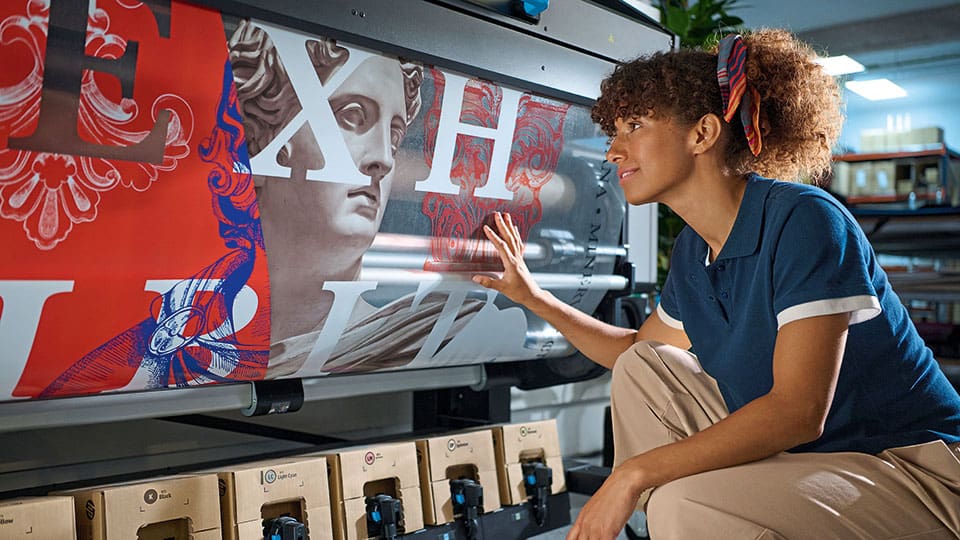
Recent updates at printIQ include updates to wide-format workflows
“The system should have an intuitive, reactive interface that ensures the information available from the MIS provides real-time notifications of business issues or opportunities for all users dependent on their roles,” he explains, adding: “SolPrint is a very flexible system allowing it to fit with the business requirements rather than enforcing workflow changes.
“SolPrint is continually being developed and as a result we strongly encourage our clients to keep their systems up-to-date so they benefit from these enhancements. In addition to the numerous system advancements, it is also important for security reasons as the internet delivers massive productivity gains but also requires the latest security patches to ensure a secure working environment.”
Talk of software and updates may fill some printers with dread, but from the advice offered here by providers, it is clear that upgrading your system and taking advantage of the latest developments will give you an upper hand in terms of production management.
From advances in print quality and productivity to increasing demand for automation and sustainable solutions, the wide-format market continues to evolve. Rob Fletcher looks at the latest trends, challenges, and developments in this sector
Speaking to a range of print and signage professionals, we discover how a sustainable business model can drive growth, outlining actionable strategies to cut overhead costs, improve eco-efficiency, and boost your bottom line
As finishing continues to become a great way to add extra elements to your print and wow customers, we take a look at some of the creasers, folders, and collators on the market, and ask experts their advice on finding the right solutions
(this was inserted into the PHP of a code block)
Watch our latest video of the week
Print Monthly gives you the latest video coverage of companies, people, and events from within the print industry.